Your sources,one Android player.
Aurora is a media player for Android. Add the connections you are entitled to use (for example Xtream Codes API or M3U), then browse and play them in a clean, organized layout—Aurora does not supply that content.
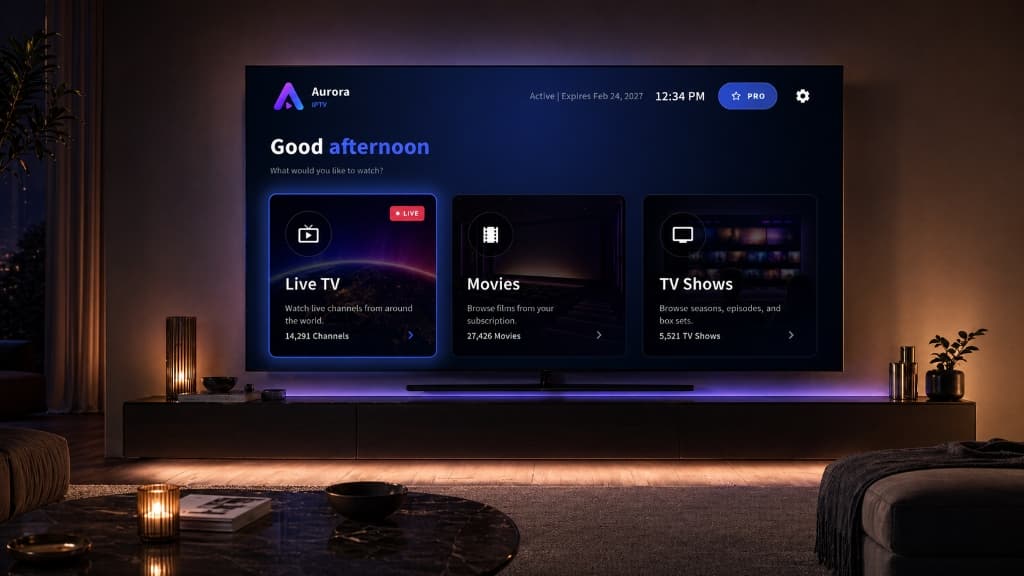
Aurora is a media player only. Users provide their own connections, and Aurora does not host or provide media content.
One library. Every screen.
A straightforward player UI for sources you add: quick navigation, readable artwork, and sensible grouping when your provider exposes live, movie, or series sections.

Live TV
When your source includes channels, move through them with a TV-first layout that stays easy to scan.

Movies
For VOD your source exposes, browse titles with artwork and metadata, and keep watch progress local.
TV Shows
When series are available from your connection, keep seasons and episodes organized and resume where you stopped.
Organise your library from the web
Optional Aurora account with cross-device sync for your Aurora app library — categories, channels, logos, and TV guide fixes. Use the Android app to watch; use your account here to tidy categories, fix logos, and map TV guides — then sync back to every device.
Aurora Extra is currently free during a limited test period. A paid subscription is planned later, and pricing will be announced before any billing starts.
With an Aurora Extra accountLimited test · free for now
- Optional account and cloud sync feature (free during limited test)
- Private cloud library tied to your Aurora account
- Web dashboard to organise categories and channels
- Custom channel logos and EPG mapping tools
- Multi-profile support for different viewers
- Sync across up to 6 Android devices
Bring Your Own Content
Users must provide their own content—for example via Xtream Codes API or M3U playlists. Aurora does not come with any pre-loaded content, channels, or playlists.
Legal Usage
It is the user's responsibility to ensure that the content they access through Aurora is legal in their jurisdiction.